SocialFlame UK — Resource Hub
Console Streaming without a PC - XBOX
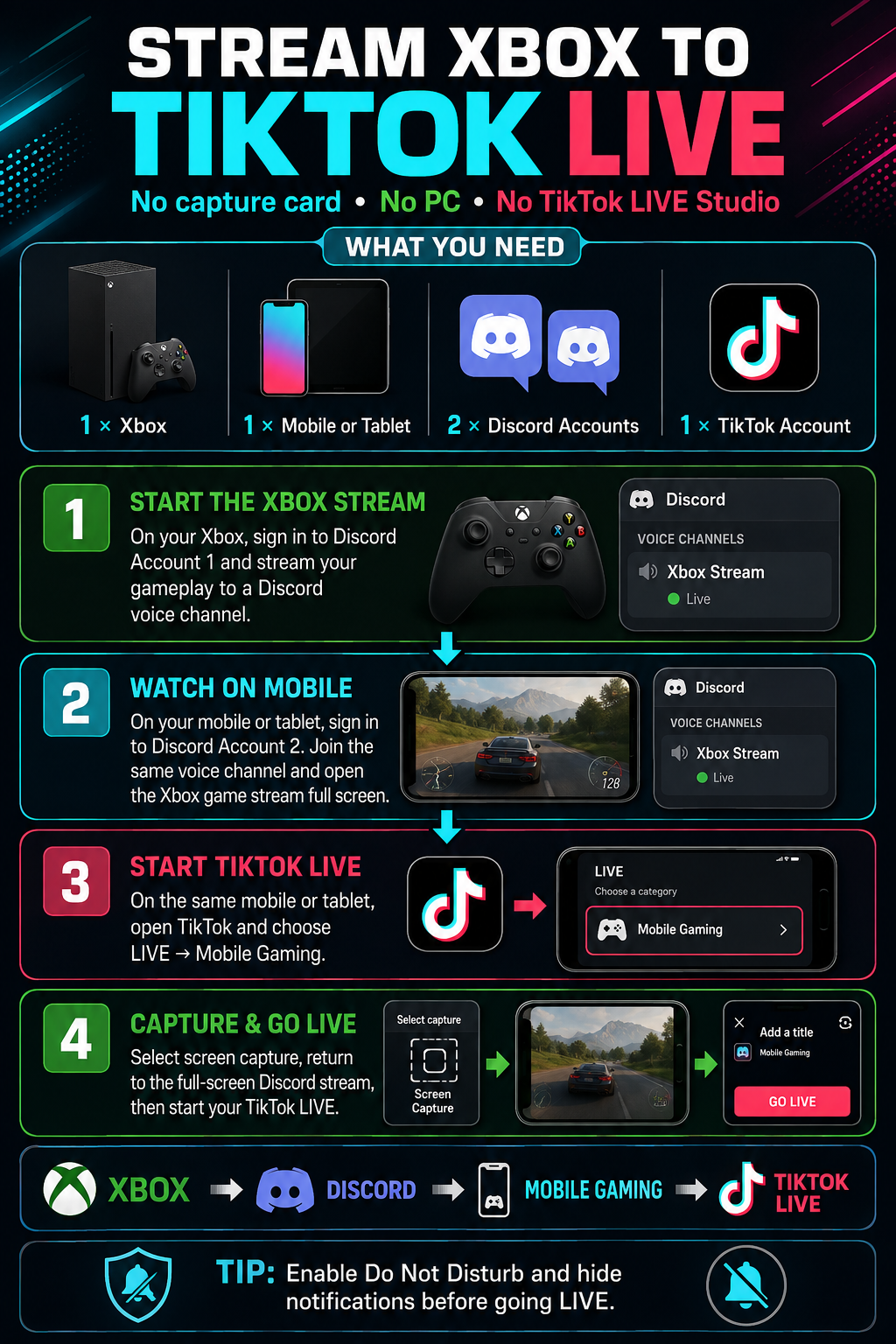
You can stream gameplay from your Xbox directly to TikTok LIVE using Discord and TikTok’s Mobile Gaming feature. You will not need a computer, capture card or TikTok LIVE Studio.
WHAT YOU NEED
• 1 × Xbox console
• 1 × mobile phone or tablet
• 2 × Discord accounts
• 1 × TikTok account with LIVE and Mobile Gaming access
• A stable internet connection
STEP 1: PREPARE DISCORD
Sign in to Discord Account 1 on your Xbox.
On your mobile phone or tablet, sign in to Discord Account 2. Both Discord accounts must be able to join the same server and voice channel.
STEP 2: STREAM YOUR XBOX GAMEPLAY
Open the Discord integration on your Xbox and join the required Discord voice channel using Account 1.
Select the option to stream your Xbox gameplay to the Discord channel. Start the game you want to broadcast and confirm that the gameplay stream is running.
STEP 3: WATCH THE STREAM ON MOBILE
Using Discord Account 2 on your mobile phone or tablet, join the same voice channel.
Open the Xbox gameplay stream and switch it to full-screen mode. Check that the picture and game audio are working correctly.
STEP 4: START A MOBILE GAMING LIVE
On the same mobile phone or tablet, open TikTok.
Tap the Create button, select LIVE and choose Mobile Gaming. Add your LIVE title and make any necessary audience or moderation adjustments.
STEP 5: ENABLE SCREEN CAPTURE
Start TikTok’s screen-capture broadcast when prompted.
Return to Discord and reopen the Xbox gameplay stream in full-screen mode. TikTok will broadcast what appears on your device’s screen, allowing viewers to watch your Xbox gameplay.
IMPORTANT TIPS
• Enable Do Not Disturb before starting to prevent private notifications from appearing on your LIVE.
• Hide message previews and close any private applications.
• Keep your mobile device connected to a charger.
• Use a strong Wi-Fi or wired internet connection wherever possible.
• Wear headphones to reduce echo and audio feedback.
• Test the stream privately or with a moderator before running a full LIVE.
Xbox → Discord Account 1 → Discord Account 2 on mobile → TikTok Mobile Gaming → TikTok LIVE